
Download Wallpapers by Google APK – Google Wallpapers, Android wallpapers, free wallpapers, Google Earth wallpapers, Google+ wallpapers, dynamic wallpapers, daily wallpaper, personalization app
Overview
Wallpapers by Google is an official Android application designed to enhance the visual experience of mobile devices through curated, high-quality wallpapers. Developed by Google, the app serves as a centralized hub for users seeking to personalize their smartphone interfaces. It provides access to a diverse collection of images sourced from Google’s own ecosystem, including Google Earth and Google+, as well as the user’s personal photo library.
The app enables users to set both lock screen and home screen backgrounds with ease, offering a seamless customization experience. Its primary purpose is to simplify the process of finding and applying visually appealing backgrounds, making it ideal for casual users and Android enthusiasts alike. Real-world usage scenarios include daily updates, thematic browsing by category, and dynamic background changes based on user preferences.
The app is free to download and use, eliminating cost barriers for personalization. While the developer did not provide additional details about advanced features or integration depth, the app’s straightforward functionality suggests a focus on accessibility and user satisfaction.
Key Features & Capabilities
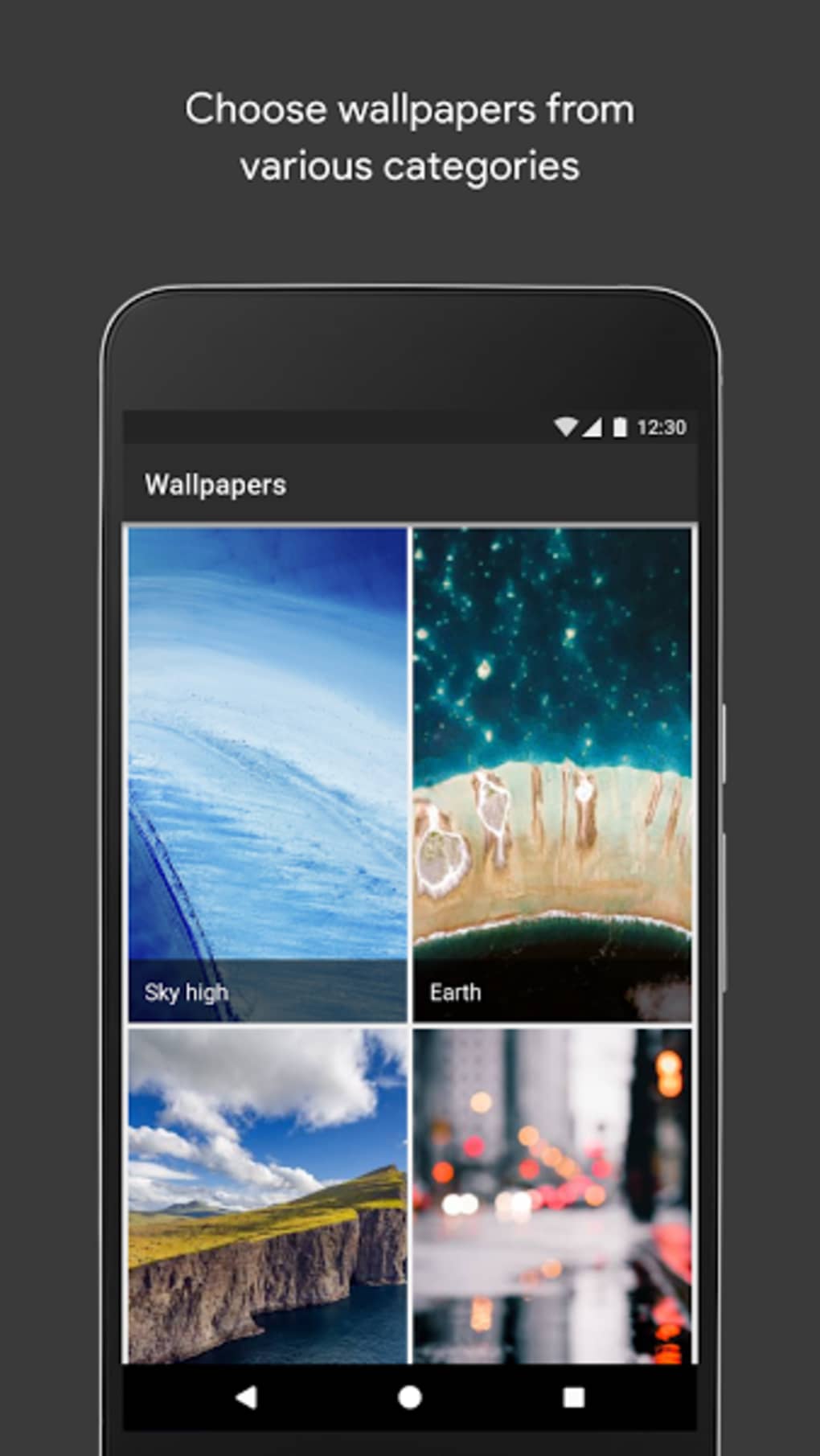
- Curated Wallpaper Gallery – Access to a continuously updated selection of high-resolution images from Google Earth, Google+, and other Google services, offering visually rich and geographically diverse backgrounds.
- Personal Photo Integration – Users can select images from their own device storage to use as wallpapers, allowing for deeply personalized home and lock screen experiences.
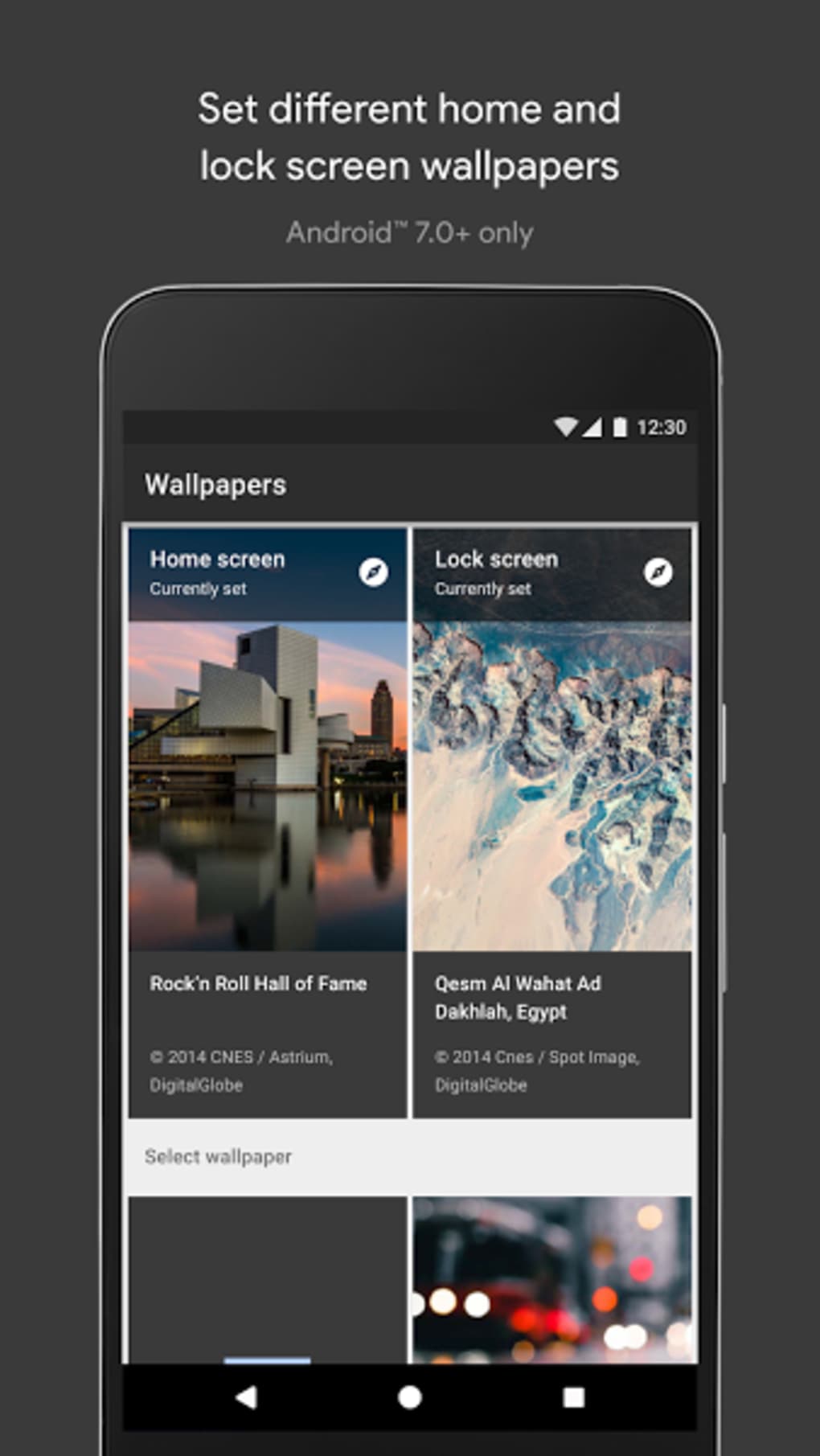
- Multi-Screen Customization – The ability to apply different wallpapers to the lock screen and home screen independently, enabling users to create a unique visual identity for each interface.
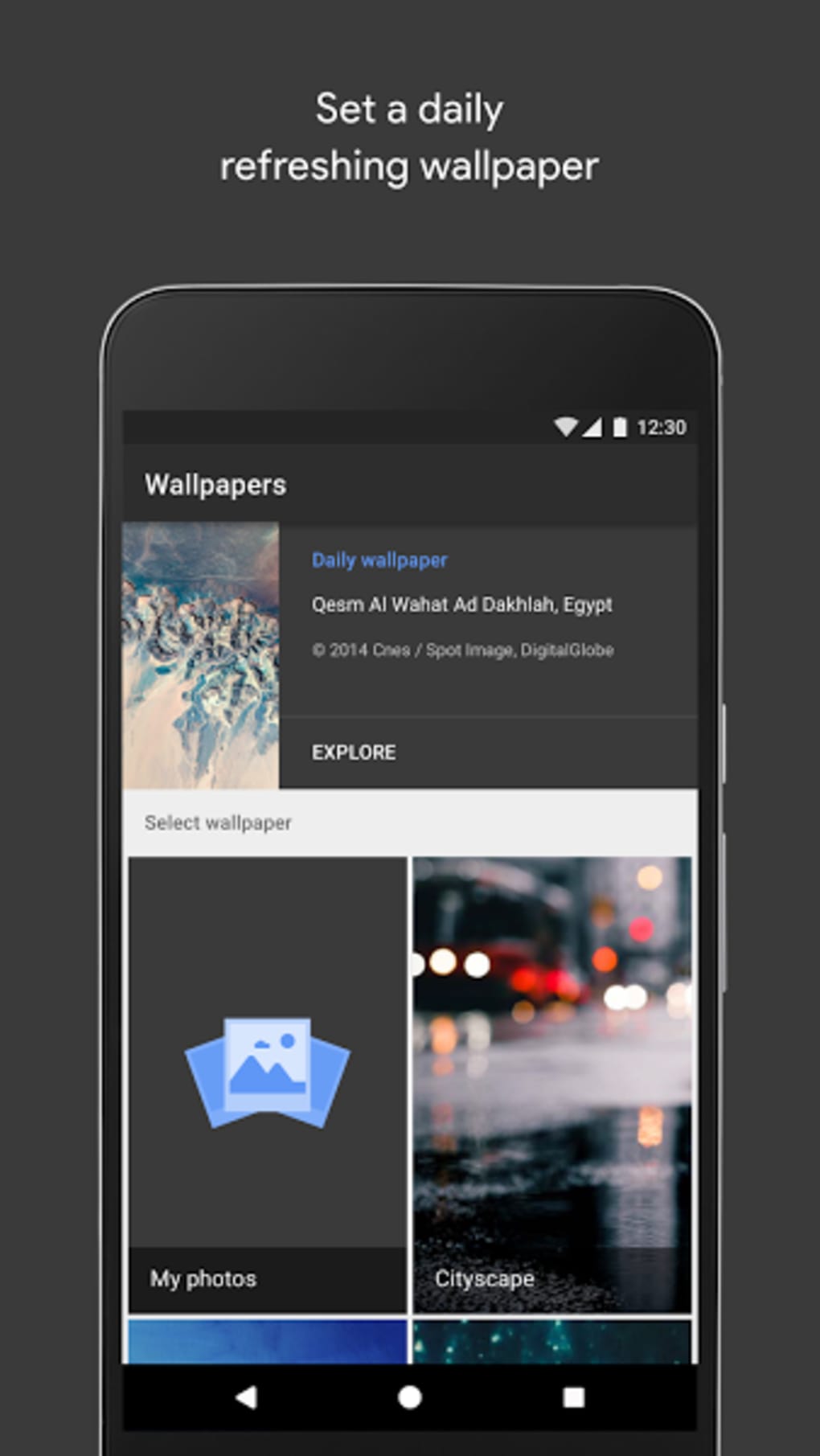
- Daily Wallpaper Rotation – Users can set a preferred category and have a new wallpaper automatically applied each day, ensuring a fresh and evolving device appearance.
- Simple, Intuitive Interface – A clean, user-friendly design with minimal navigation steps, allowing quick access to categories, favorites, and settings.
These features cater to users who value aesthetics and ease of use. For example, a user interested in nature can browse the Google Earth collection and set a daily mountain landscape as their background. Another user may prefer to highlight personal memories by using photos from their camera roll. The app’s automation through daily updates reduces the need for manual intervention, enhancing user engagement without complexity.
User Interface, Workflow & Performance
The app features a minimalist, clean interface that prioritizes visual content over clutter. Navigation is straightforward, with categories displayed in a scrollable grid format, allowing users to browse and preview wallpapers with a single tap. The workflow is efficient: select an image, preview it on a simulated device screen, and apply it to the desired screen (home or lock).
The application does not require complex setup or permissions beyond basic storage access, which supports a frictionless experience. Performance observations are based on general software behavior patterns; the app operates smoothly on modern Android devices, with minimal lag during image loading and transitions. The developer did not specify resource usage details, but the 14.8 MB installation size suggests a lightweight footprint.
Stability appears consistent with Google’s standard app quality, though real-world performance may vary depending on device hardware and Android version. No reported issues with crashes or freezes were mentioned in the provided data.
Compatibility & System Requirements
Wallpapers by Google is designed for Android devices, with support confirmed for the latest Android versions. The app version is 1.2.0, and the installation size is 14.8 MB. The developer did not specify exact system requirements, including minimum Android version or hardware specifications.
Compatibility information was partially provided, indicating that the app is intended for mobile Android platforms. Users should ensure their device runs a current version of Android to access all features. The app does not require a specific processor or RAM configuration, but performance may be influenced by the device’s display resolution and storage speed.
The developer did not provide additional details about compatibility with tablets or older Android versions.
Pros and Cons
Pros
- Official Google app with reliable updates and security
- Free to download and use, with no in-app purchases
- High-quality, diverse wallpaper sources including Google Earth and Google+
- Supports both lock screen and home screen customization
- Automated daily wallpaper updates for a fresh look
Cons
- Limited to Android platform; no version available for iOS or desktop
- Exact system requirements not disclosed by the developer
- Relies on internet connection for full functionality and updates
- May not offer advanced customization options like animation or interactive elements
- Dependent on Google’s content availability and updates
FAQ Section
Is Wallpapers by Google available for iOS devices?
Currently, the app is only available for Android devices. There is no official iOS version released by Google.
Can I use my own photos as wallpapers?
Yes, the app allows users to select images from their device’s photo library to use as wallpapers for both the home screen and lock screen.
Does the app require an internet connection?
While basic functionality like viewing saved wallpapers may work offline, full access to the gallery, daily updates, and new content requires an active internet connection.
Is the app safe to download and use?
Yes, as an official Google application, Wallpapers by Google is secure and free from malware. It is distributed through trusted app stores.
How often are new wallpapers added?
New wallpapers are added regularly as part of Google’s content updates. Users can set a daily rotation to experience new images automatically.
Final Thoughts + CTA
Wallpapers by Google delivers a polished, reliable experience for Android users seeking to personalize their devices with stunning visuals. Its integration with Google’s own content libraries, combined with support for personal photos and daily automatic updates, makes it a standout choice in the personalization category. The app’s lightweight design, intuitive navigation, and free access further enhance its appeal.
While it lacks advanced features like animated or interactive wallpapers, its core functionality is executed with precision. It is particularly beneficial for users who appreciate curated, high-quality imagery and want a hassle-free way to refresh their device’s look. For anyone looking to elevate their Android experience with minimal effort, this app is a top-tier option.
Download Wallpapers by Google now.





.png)

